SendBySound.com
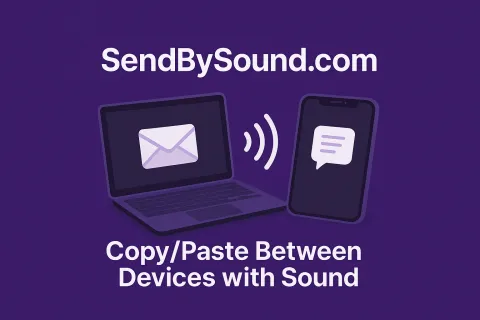
Sharing a short piece of text between devices has never been as smooth as it should be. Most of us default to emailing ourselves, trying to AirDrop across incompatible ecosystems, or reading a password aloud while hoping no one mishears the fifth character.
Tools like QR codes already solve part of this problem. They work well, and they are widely supported. But sometimes you want something even simpler or just a little more fun.
That is where SendBySound fits in.
What It Does
SendBySound is a free web app at SendBySound.com that transfers text through sound. Open the site on two devices, type your message, and press send. One device plays a short sequence of tones, the other listens and decodes the text. Once the page loads, it works entirely offline.
There is no pairing, no accounts, and no installation.
How It Compares to QR Codes
QR codes are great in most situations. They are fast, reliable, and familiar. SendBySound is simply a different way to approach the same problem, and it can be useful in places where a sound-based interaction feels more natural.
A few examples:
- When the receiving device does not have a camera, or the camera is already in use.
- When you want to share across a short distance without positioning devices relative to each other.
- When generating or displaying a QR code is not as convenient.
- When you want a hands-free option.
- Or simply because sending little chirps between devices is fun.
SendBySound is not a replacement for QR codes. It is another tool you can reach for depending on the situation.
Everyday Uses
- Sharing a WiFi password without typing it out.
- Sending a link from a laptop to a phone without emailing yourself.
- Passing a verification code when your authenticator is on another device.
- Sharing small bits of information in classrooms or group settings.
If the devices can make and hear sound, you can use them.
Privacy and Simplicity
All processing happens locally in the browser. Nothing is sent to a server. The short-range nature of sound keeps transmission limited to the nearby environment.
Try It Out
If you're looking for a quick, offline-friendly, and slightly playful way to transfer text between devices, visit SendBySound.com and give it a try.
If you’d like, I can also format this for Markdown, generate an excerpt for the homepage, or create an OpenGraph description for link previews.
Drupal + NextJS Starter
Drupal 11 + Next.js Starter Kit
A modern headless CMS starter that combines Drupal 11 as the content management backend with Next.js 15 as the frontend framework.
Features
- Backend: Drupal 11 with JSON:API, Simple OAuth authentication
- Frontend: Next.js 15 with App Router, TypeScript, Tailwind CSS
- Content Types: Pages, Articles, Events with image fields
- Authentication: OAuth2 client credentials flow
- Development: Docksal containerized environment
Prerequisites
- Docksal is installed and running
- Docker and Docker Compose (installed with Docksal)
Installation
1. Clone and Initialize
git clone git@github.com:willjackson/drupal-nextjs-starter.git d11-nextjs-starter
cd d11-nextjs-starter
fin init
Initialize with Options:
# Initialize with sample content
fin init --content

# Initialize with AI Tools
fin init --ai

# Initialize with both content and AI Tools
fin init --content --ai
Explore this project to try out Drupal and see its utility as a viable, well-supported backend for Next.js. Start managing content with Drupal while leveraging Next.js for a dynamic frontend experience. Invitation is open to use this starter kit and discover its capabilities.