How to Configure Drupal MCP with Claude Desktop
Docker in a Flash: Introduction to Drupal Development with Docker | Bay Area Drupal Camp 2017
This session is an introduction to Docker, optimized to provide insight on how the container-based model can optimize Drupal development and complement traditional development practices.
Docker images and Dockerfiles make collaborating and ramping up with projects a breeze and drastically reduce the amount of time required to create a working development environment for your Drupal-based projects.
Docksal, an open-source tool, can be leveraged to define and manage your Docker-based development environments. Docksal ensures that all developers are using the same software versions, regardless of their individual environments, and is compatible with macOS, Linux, and Windows.
Attendees are encouraged to have a firm grasp of development workflows, the command line, and a basic understanding of general system administration tasks.
Docker in a Flash: Introduction to Drupal Development with Docker | Texas Camp 2017
Introduction to Docker for Drupal Development
This session is focused on introducing Docker and demonstrating how the container-based model can optimize Drupal development, complementing traditional practices.
Docker images and Dockerfiles simplify collaboration and significantly reduce the time required to establish a functioning development environment for Drupal-based projects.
Docksal, an open-source tool, can define and manage Docker-based development environments effectively. It ensures consistent software versions across different developer setups and is compatible with MacOS, Linux, and Windows.
Attendees are encouraged to have a solid understanding of development workflows, command line usage, and basic system administration tasks.
Attendees Will Leave With:
- A basic understanding of Docker and its role in expediting the creation of Drupal development environments.
- Knowledge of implementing a Docker-based solution tailored to their needs.
- Information on community resources for Drupal Development with Docker.
SiteDash
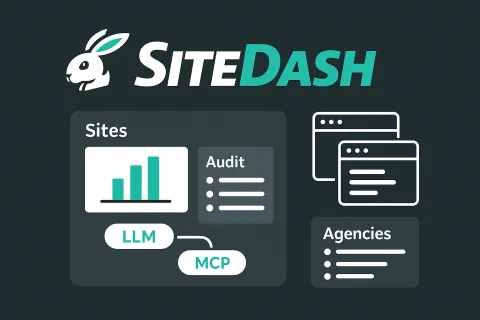
SiteDash is a central dashboard for developers, agencies, and site owners managing multiple Drupal and WordPress sites. It's currently in development. Join the interest list at SiteDash.ai.
The Problem with Multiple Sites
Managing more than a handful of sites means juggling hosting dashboards, repository interfaces, third-party services, and spreadsheets that are never quite up to date. Someone asks which sites need security updates, and you're opening ten browser tabs.
SiteDash aggregates site data in one interface. It connects to the Audit Export Module for Drupal and the Audit Export plugin for WordPress, pulling configuration details, module versions, update status, and hosting information into a unified view. The module supports Drupal 7 through 11, and the plugin works with WordPress 6 and later.
Who This Is For
If you maintain multiple sites, SiteDash gives you clarity. Freelancers with a dozen client projects, agencies balancing portfolios of fifty sites, or product teams needing governance across their web properties all benefit from centralized visibility.
Unified Site Data
Connect your sites and see metadata, configurations, and integrations from one dashboard. No more hunting through wikis or ticket systems for basic information about what's installed where.
SiteDash integrates with code hosts like GitHub and Bitbucket, hosting platforms like Acquia and Pantheon, CI tools like CircleCI and Tugboat, and project management systems including Jira, ClickUp, and Teamwork. It also connects to AI providers like Anthropic and OpenAI, Google Workspace tools, analytics platforms, and operations services like UptimeRobot.
LLM-Powered Infrastructure Queries
SiteDash includes an MCP server that lets AI tools access all your indexed site data through a single connection. Instead of wiring each service independently, your LLM-backed assistants can query everything at once.
Ask "Which sites are running Drupal 10.2.x?" or "Show me all sites with the Webform module enabled" and get immediate answers across your entire portfolio. The MCP integration enables AI-assisted onboarding, configuration audits, and infrastructure planning without manually checking each site.
Self-Service Access for Non-Technical Users
Once a developer connects sites to SiteDash, project managers and non-technical stakeholders can query site information on their own. Instead of filing tickets to ask which modules are installed or which sites need attention, they use natural language queries through the MCP-connected AI interface. The setup work happens once, then anyone on the team can get answers without waiting for developer availability.
Streamlined Agency Onboarding
Agencies often track dozens of client sites in spreadsheets. When a new project arrives, someone spends hours documenting what's installed: modules, themes, hosting details, third-party integrations, and potential technical debt.
The Audit Export Module and plugin automate that snapshot. SiteDash indexes the data and keeps it current. Paired with the MCP server, an LLM can handle much of the discovery work, querying indexed data and surfacing what matters without digging through admin screens.
What Changes
You spend less time context-switching between tools and more time making decisions. Teams share a unified source of truth instead of confirming basic facts in Slack. New developers get situational awareness without hunting through scattered documentation. AI-assisted querying means faster audits and planning.
Early Access
SiteDash is actively evolving. Join the interest list at SiteDash.ai to get notified as development progresses. The goal is an open alpha testing phase starting in January 2026.
Local Development with Docksal
Docksal: Streamlining Local Development Environments
Docksal is a Docker-based development tool designed to simplify the creation of local development environments. By minimizing the setup time, Docksal allows for rapid onboarding of new developers to projects.
Topics Covered
- Create a local development environment in minutes: Quickly set up a standardized development environment to ensure consistency across developers.
- Maintain the environment configuration via source control: Use source control to manage and version your development environment configurations, ensuring easy replication and sharing among team members.
- Create custom commands to automate and expedite development tasks: Enhance productivity by defining commands tailored to your project's needs, streamlining repetitive tasks.
- Integrating Docksal with pre-existing projects: Seamlessly incorporate Docksal into existing workflows to benefit from its streamlined environment management without overhauling current setups.
Docker in a Flash: Introduction to Drupal Development with Docker | Florida Drupal Camp 2017
This session offers a rapid introduction to Docker, showcasing how it enhances Drupal development through container-based models. Docker images and Dockerfiles streamline collaboration and significantly reduce setup time for Drupal projects. By using Dockerfiles, Docker Compose, or custom images, setting up a local development environment becomes straightforward. Attendees are advised to have a solid understanding of development workflows, the command line, and basic system administration. This session aims to explore Docker's potential to greatly benefit Drupal developers.
Drupal Recipe Explorer

The Drupal Recipe Explorer is a resource for developers and site builders who want a clearer way to discover and evaluate Drupal recipes. Recipes are lightweight Composer packages of type drupal-recipe that bundle modules, configuration, and optional patches to deliver ready-made site-building patterns. Unlike full distributions, they can be applied at any point in a site's lifecycle, added or removed as needed, and combined to suit specific project goals.
A typical recipe defines required modules and themes, includes default configuration, and may provide configuration actions that adjust existing settings. Every recipe contains a recipe.yml file describing its purpose, classification, dependencies, and configuration.
To use a recipe, add it to your project with Composer:
composer require drupal/example_recipe
Then apply it with the core recipe script:
php core/scripts/drupal recipe ../recipes/[recipe-name] -v
or with Drush:
drush recipe ../recipes/[recipe-name] -v
The Drupal Recipe Explorer aggregates recipe data from multiple sources. Packagist packages from the Drupal vendor and selected contributors form the primary index, while GitHub and Drupal.org’s GitLab repositories are parsed to capture metadata, dependencies, and patches. The browser provides a searchable and filterable list of all discovered recipes, along with direct links to their source code and regularly refreshed data.
If you want to contribute your own recipe, you can create a General Project on Drupal.org, ensure your composer.json file uses the drupal-recipe type, include a complete recipe.yml, and publish it for others to use.
For more information, you can visit the project page at https://drupal-recipe-explorer.netlify.app, explore the Distributions and Recipes Initiative on Drupal.org, review the GitLab repository, check the Recipes Cookbook, or join the #distributions-and-recipes Slack channel.
AI and Drupal: How the Drupal AI Initiative Is Reshaping Content Management
Robot Co-Pilots: Accelerating Drupal Development with AI
Ready to enhance your Drupal development capabilities with AI? This practical session explores how to integrate artificial intelligence into your workflow. In this engaging presentation, we'll cover:
- Drupal & AI
- Explore the AI suite and contrib modules
- Uncover intelligent content creation techniques
- Build effective agents and site chatbots for enhanced user experience
- Drupal Development With AI
- Navigate the landscape of freemium vs paid AI solutions
- Progress through increasingly powerful AI tools:
- Web-based solutions like ChatGPT and Claude
- Leveraging OpenAI's Projects, Custom GPTs, and API integrations
- Desktop applications, including Claude Desktop with MCP integration
- Advanced development with Claude Code
- Augment your workflow with specialized tools like Cursor and Windsurf
- Implement AI capabilities into JetBrains and VSCode
- Establish practical workflows that combine human expertise with AI assistance
Through practical examples and insights, you'll discover highly applicable techniques for developers of all experience levels. This presentation offers concrete strategies to immediately enhance your Drupal development workflow and take your first steps toward becoming one with the robots.